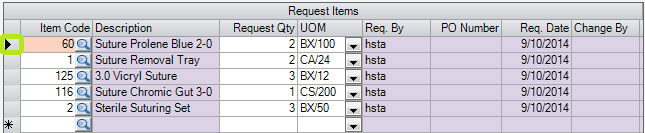
Create New Item Request
Create new item request
2. Click  New
New
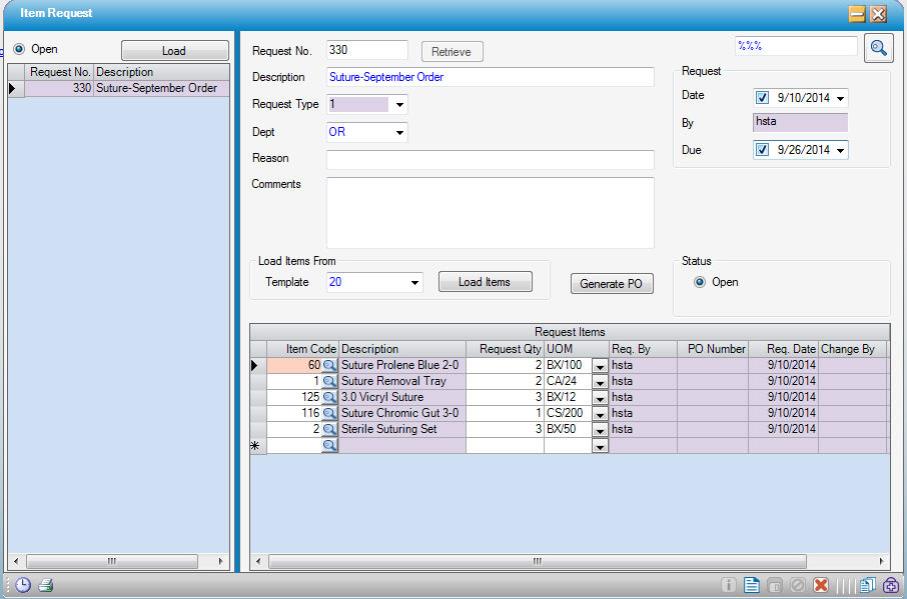
3. Enter the item request Description
4. Add request items using a template or one by one, or in combination:
- Template: If an Item Request Template was created, select it from the Template drop-down and click the Load Items
 button. The template items display in the Request Items grid.
- One by one: enter or look up the Item Code, enter the Request Qty and select the UOM.
5. Click  Save
Save
To delete a line item, highlight the line item by clicking on the gray box (outlined below) to the left, then press the Delete key on the keyboard.